Restrict ChatGPT to Corporate Workspaces
Organizations may want to allow employees to use ChatGPT while preventing access to personal workspaces or anonymous ChatGPT usage. Starting with version 9.9, Web Safety can enforce OpenAI Corporate Network Controls by injecting the required workspace restriction header into ChatGPT requests.
How It Works
OpenAI allows organizations to restrict access to specific ChatGPT Enterprise workspaces by adding the following HTTP header.
If configured, Web Safety can inject this header into all requests to https://chatgpt.com. Only the ChatGPT Enterprise workspace specified by the Workspace UUID will then be accessible. Other workspaces, including personal workspaces, will be filtered out by ChatGPT itself.
How to Configure
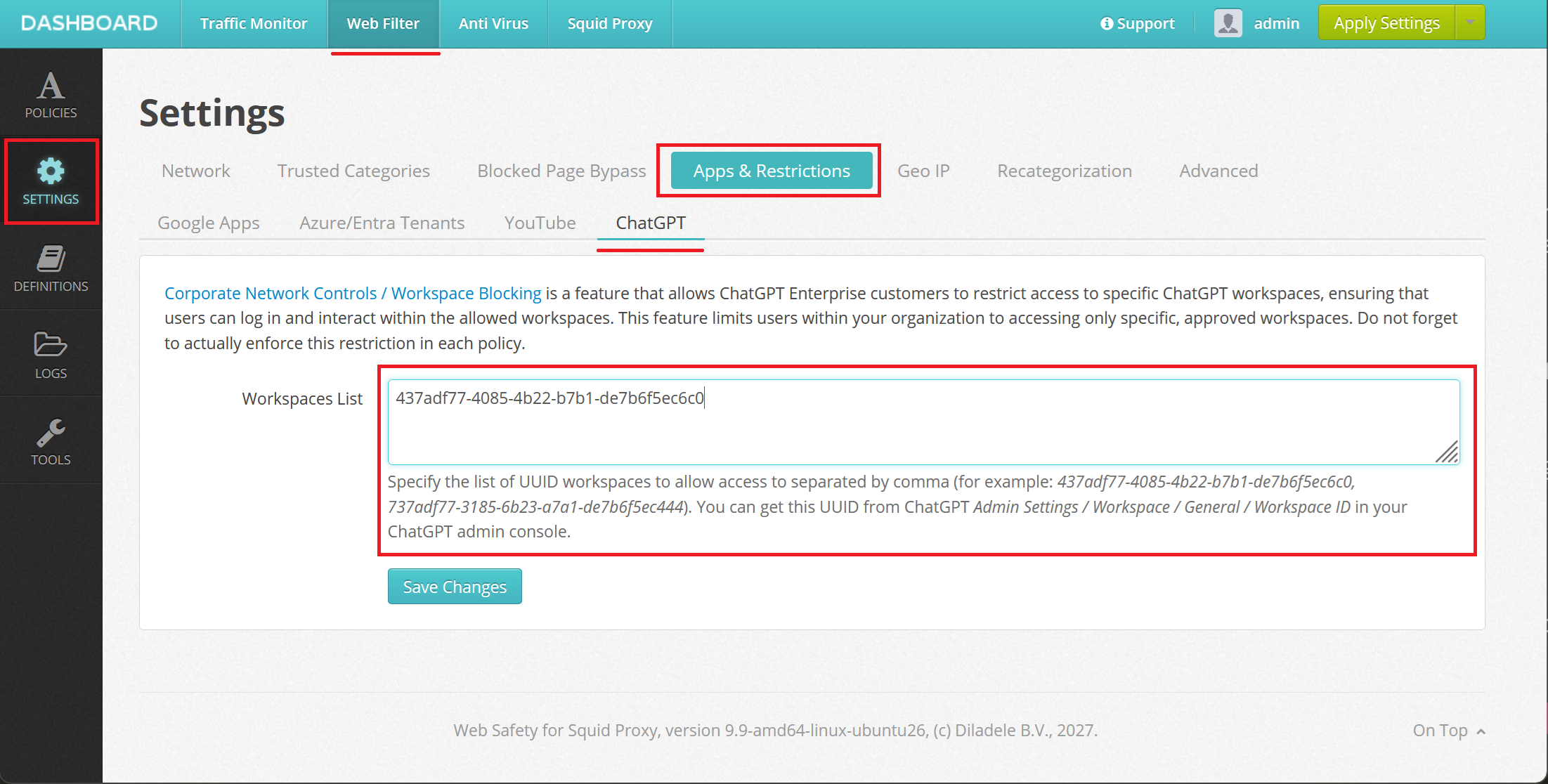
First, you would need to get the Workspace ID (UUID) from the ChatGPT Enterprise Admin Settings. The UUID looks like a long string of digits, like 437adf77-4085-4b22-b7b1-de7b6f5ec6c0.
Then, navigate to Admin UI / Web Filter / Settings / Apps and Tenants / ChatGPT and type the UUID as shown on the following screenshots. If you have multiple workspaces, separate entries with a comma.
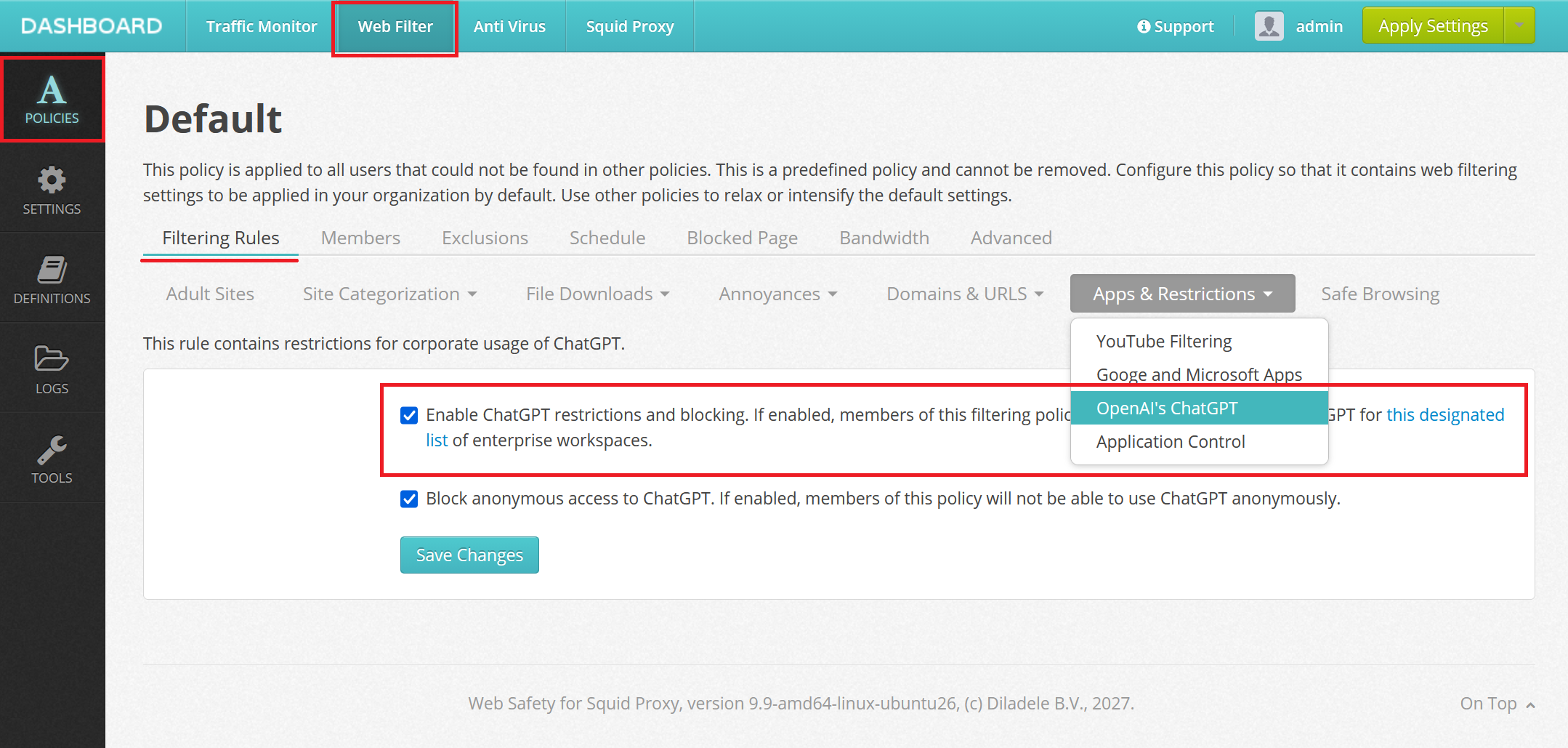
Next in each policy, enforce these restrictions in Admin UI / Web Filter / Policy / Rules / Apps and Tenants as shown on the following screenshot.
Block Anonymous ChatGPT Usage
If you also wish to block the anonymous ChatGPT usage, select the Block Anonymous Access checkbox. This setting works independently from the Corporate Network Controls and can be used to force all users in a given policy to login into the ChatGPT.
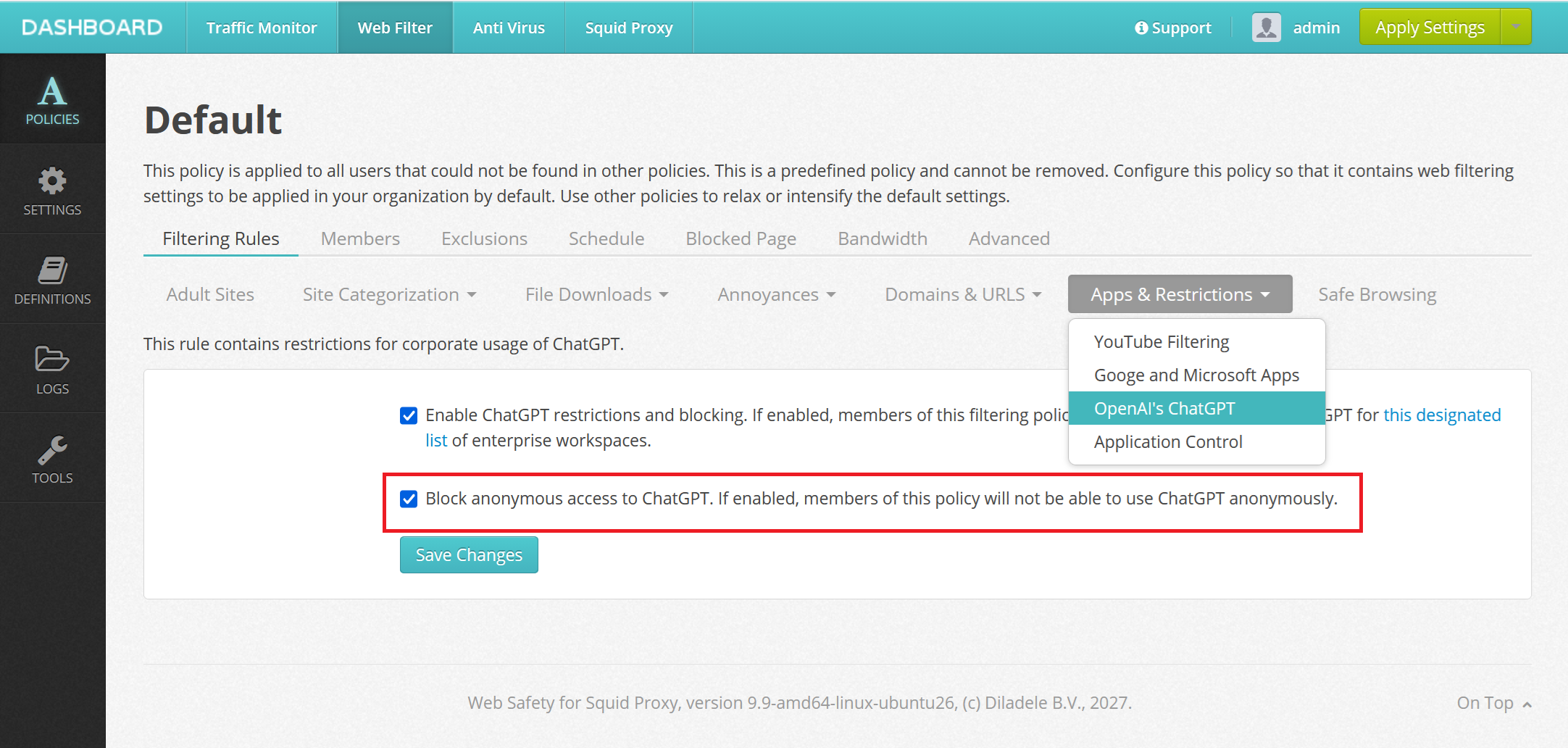
If this checkbox is set, Web Safety blocks access to all requests to https://chatgpt.com/backend-anon/* URL, forcing the user to log in into ChatGPT first.