Network Connectivity and Routing
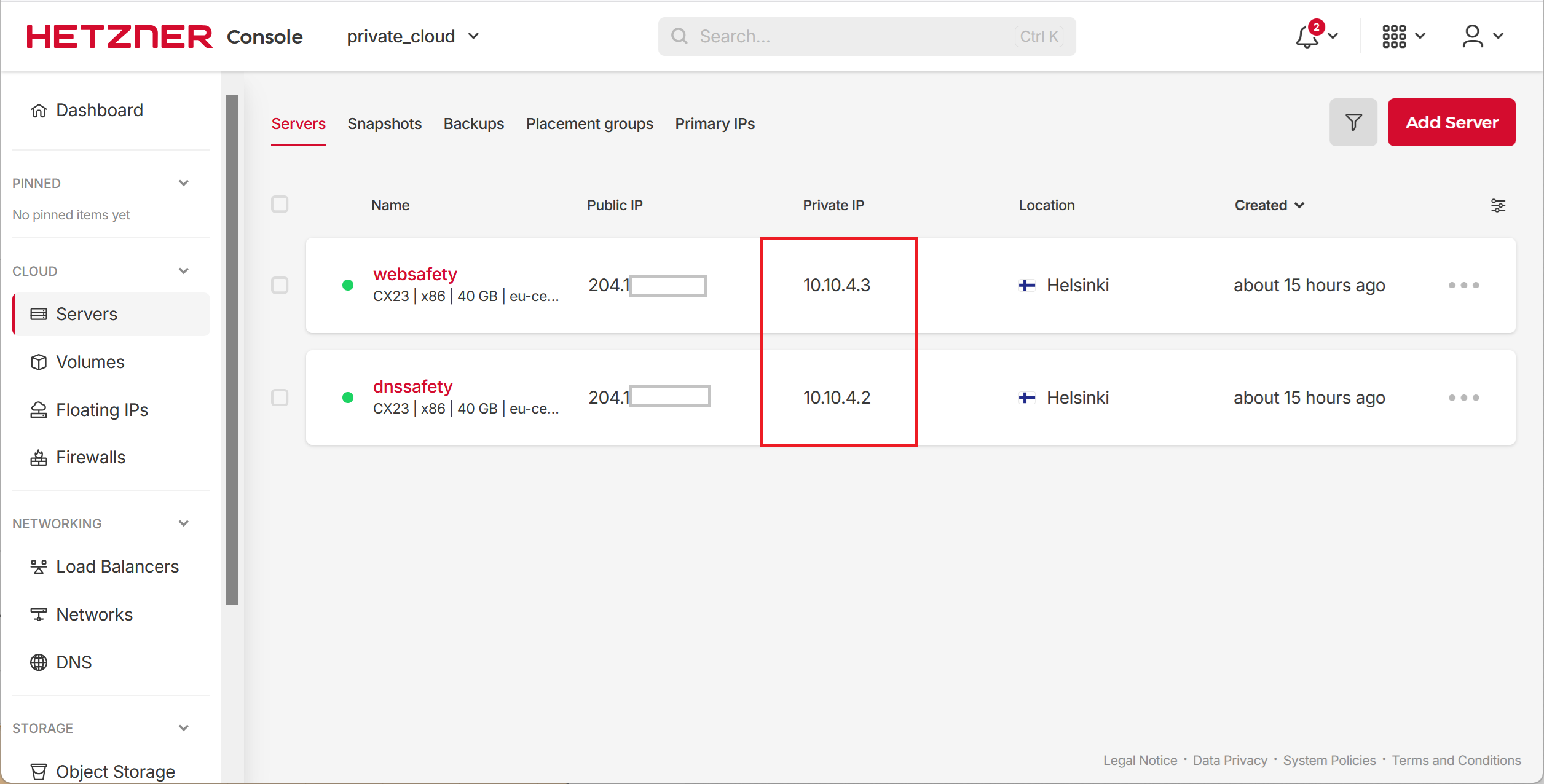
Next important step is to login into terminal console of DNS Safety and check it can access web Safety via private_network we created earlier. From the list of servers in Hetzner we see the assigned private IP addresses.
Confirm Pings
Login into DNS Safety server via SSH and try pinging Web Safety, all pings should complete successfully.
root@dnssafety:~# ping 10.0.0.3

PING 10.0.0.3 (10.0.0.3) 56(84) bytes of data.
64 bytes from 10.0.0.3: icmp_seq=1 ttl=63 time=4.89 ms
64 bytes from 10.0.0.3: icmp_seq=2 ttl=63 time=0.512 ms
64 bytes from 10.0.0.3: icmp_seq=3 ttl=63 time=0.543 ms
64 bytes from 10.0.0.3: icmp_seq=4 ttl=63 time=0.516 ms
64 bytes from 10.0.0.3: icmp_seq=5 ttl=63 time=0.512 ms
64 bytes from 10.0.0.3: icmp_seq=6 ttl=63 time=0.418 ms
^C

--- 10.0.0.3 ping statistics ---
6 packets transmitted, 6 received, 0% packet loss, time 5086ms
rtt min/avg/max/mdev = 0.418/1.231/4.886/1.634 ms
Pinging DNS Safety from Web Safety, i.e. reverse ping, should complete successfully too.
root@websafety:~# ping 10.0.0.2

PING 10.0.0.2 (10.0.0.2) 56(84) bytes of data.
64 bytes from 10.0.0.2: icmp_seq=1 ttl=63 time=5.09 ms
64 bytes from 10.0.0.2: icmp_seq=2 ttl=63 time=0.514 ms
64 bytes from 10.0.0.2: icmp_seq=3 ttl=63 time=0.521 ms
64 bytes from 10.0.0.2: icmp_seq=4 ttl=63 time=0.447 ms
^C

--- 10.0.0.2 ping statistics ---
4 packets transmitted, 4 received, 0% packet loss, time 3031ms
rtt min/avg/max/mdev = 0.447/1.644/5.094/1.992 ms
Add Required Network Routes
As we are going to provide secure VPN access from the Internet to all our servers in the private_cloud project (Web Safety mainly) we also need to add one route to our private_network. Without this route the packets will be able to reach the private servers but will not be able to travel back to the VPN clients.
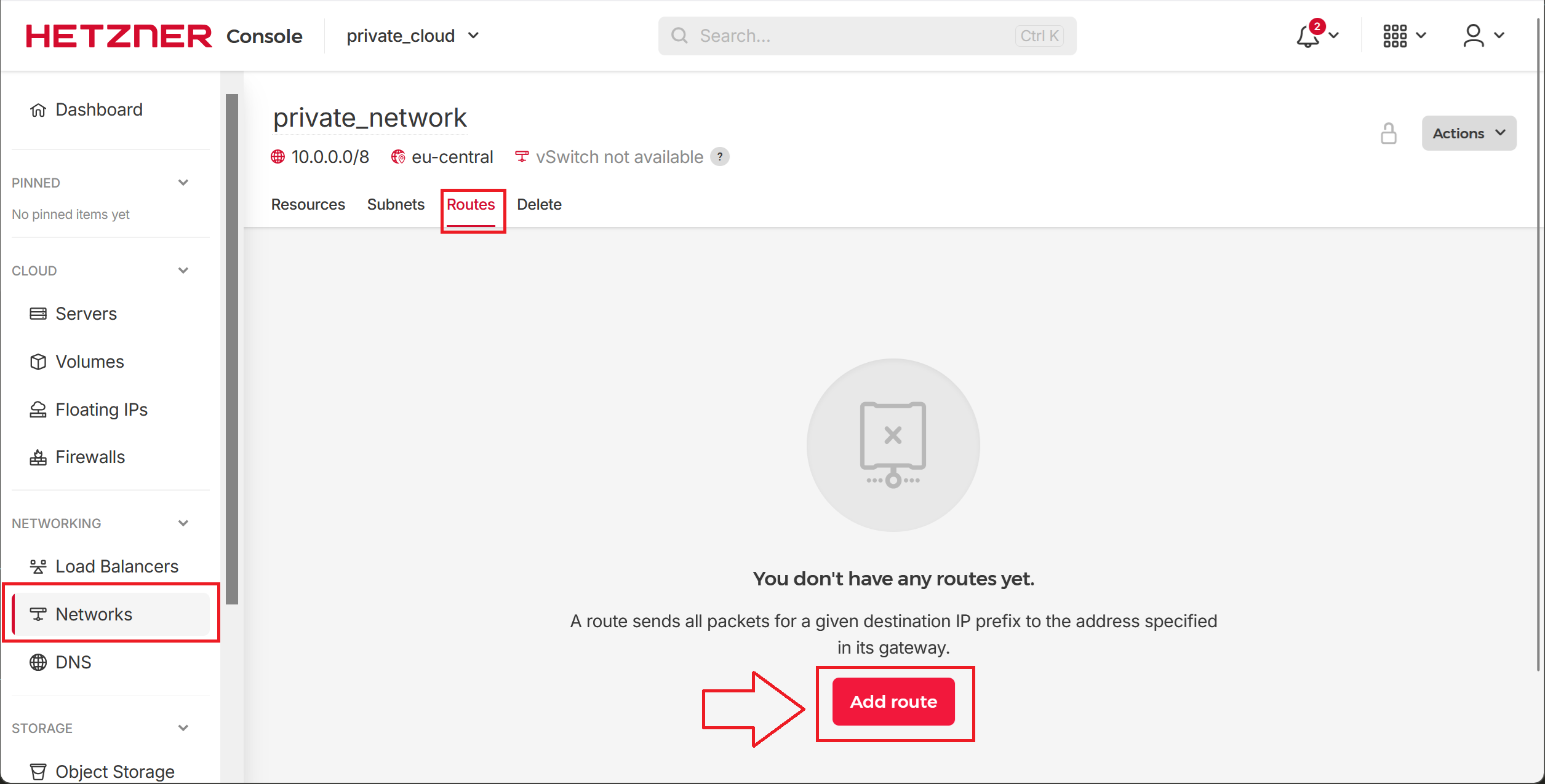
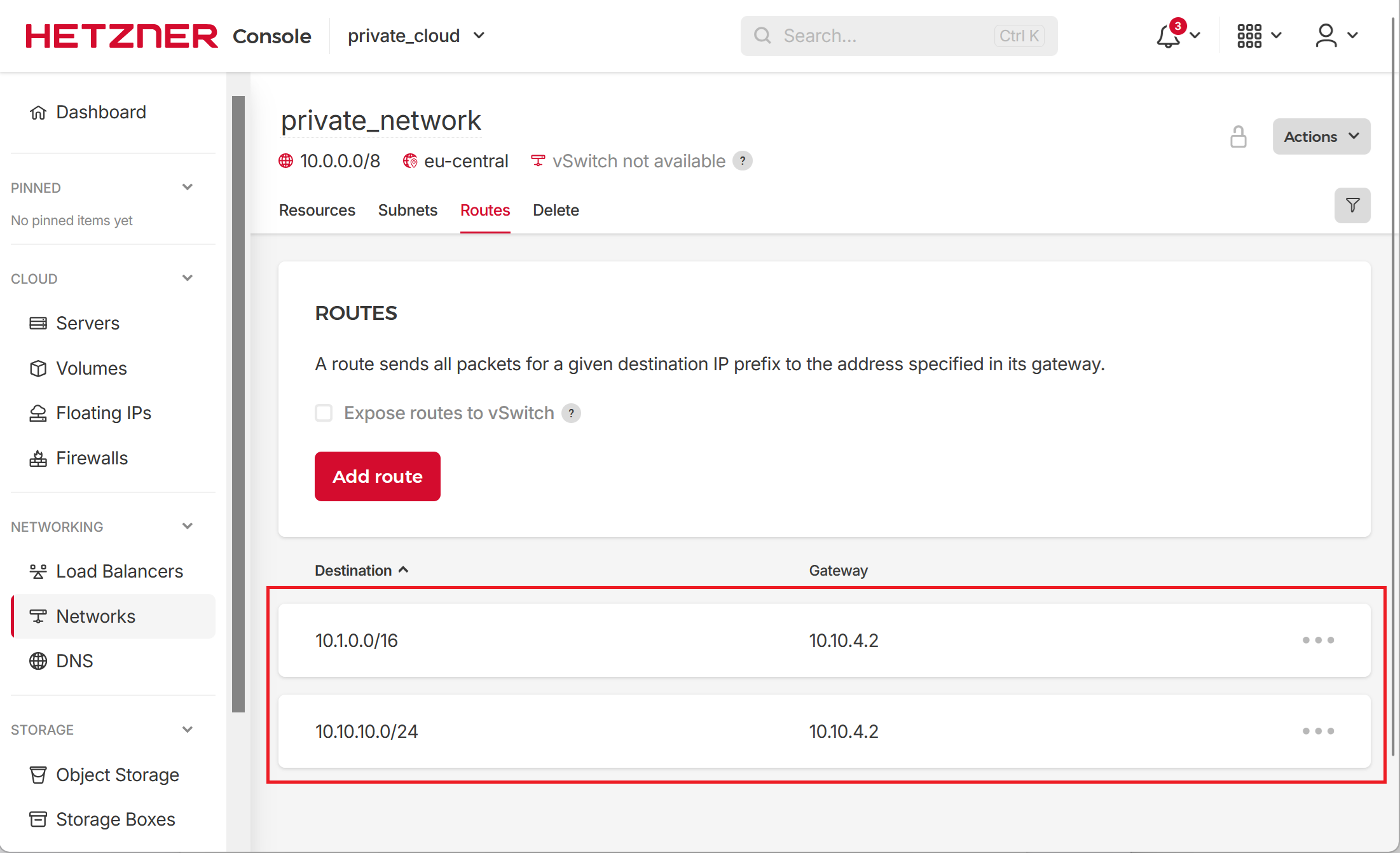
Navigate to Networks / Private Network, select the Routes tab and click Add route button as shown on the following screenshot.
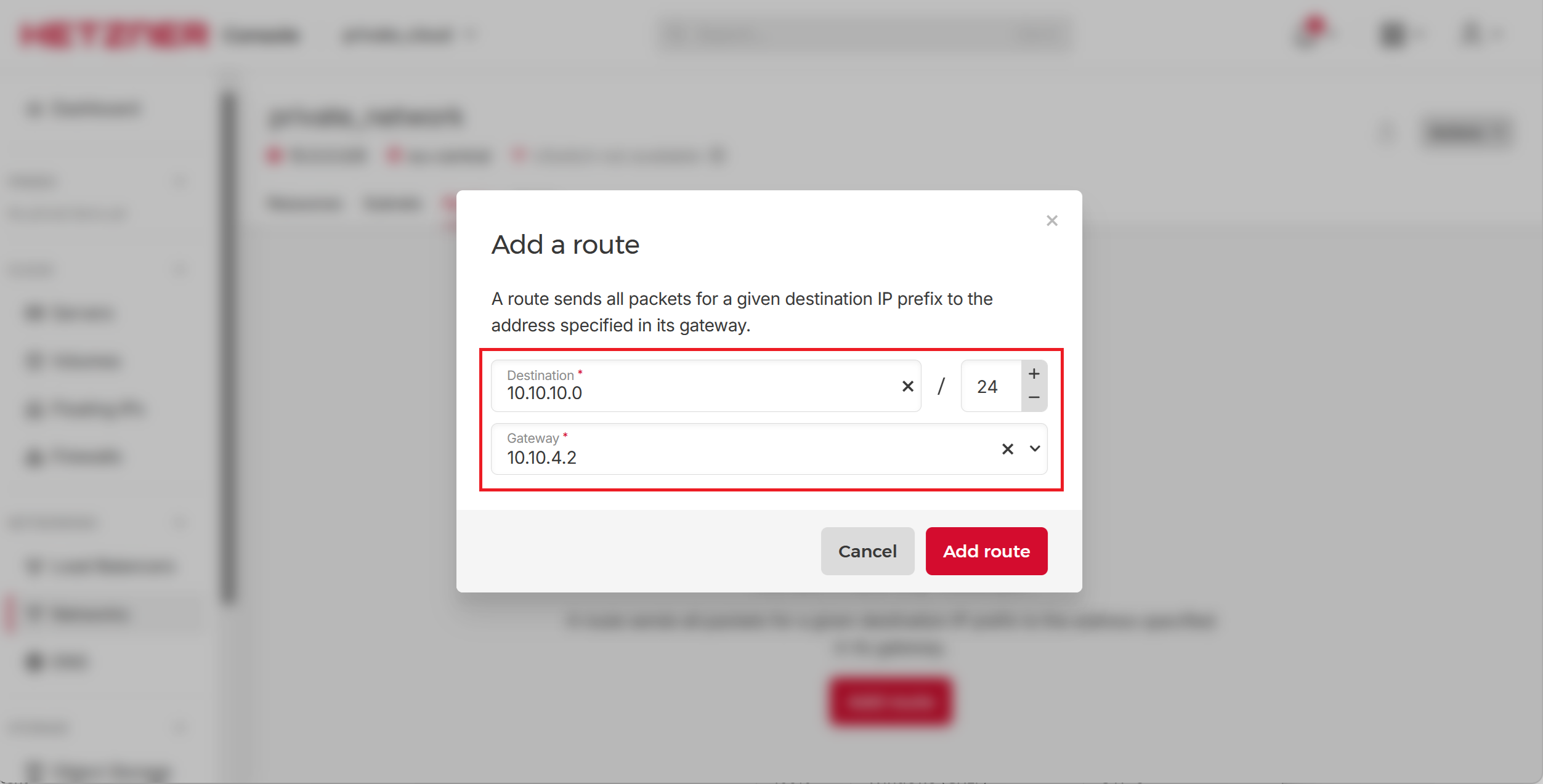
We would need to add the following two routes.
| Destination | Gateway | Description |
|---|---|---|
10.10.10.0/24 |
10.10.4.2 |
Send all packets directed to 10.10.10.0/24 subnet to the DNS Safety host at 10.10.4.2 because it knows how to correctly forward them to connected VPN client devices. |
10.1.0.0/16 |
10.10.4.2 |
Send all packets directed to 10.1.0.0/16 office subnet to the DNS Safety host at 10.10.4.2 because it knows how to correctly forward them. This is needed for the site-to-site VPN scenario described later. |
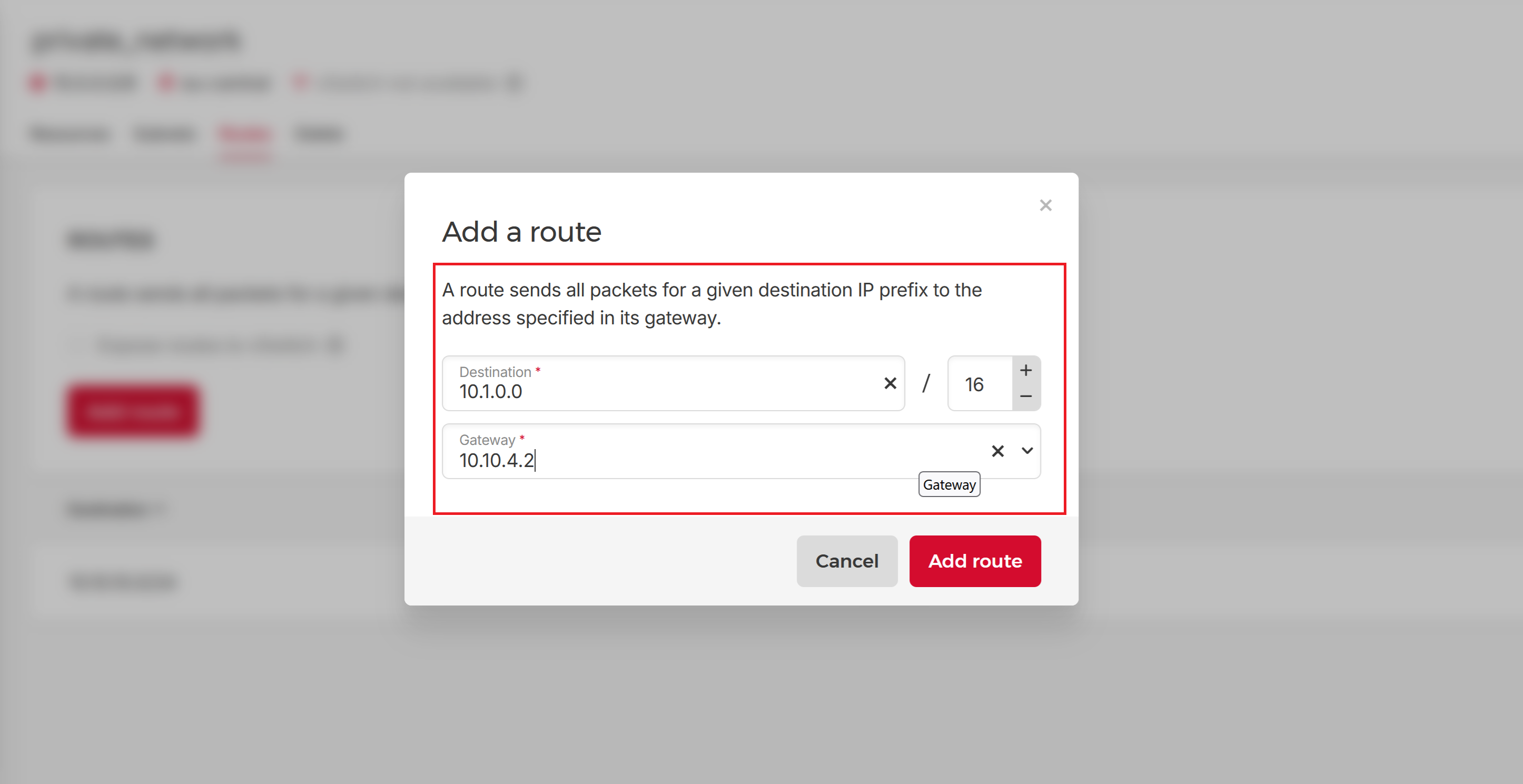
The list of routes should now look like the following.
Good, next step is to configure the VPN server and VPN access profiles to our private_cloud.