Configure VPN Server in DNS Safety
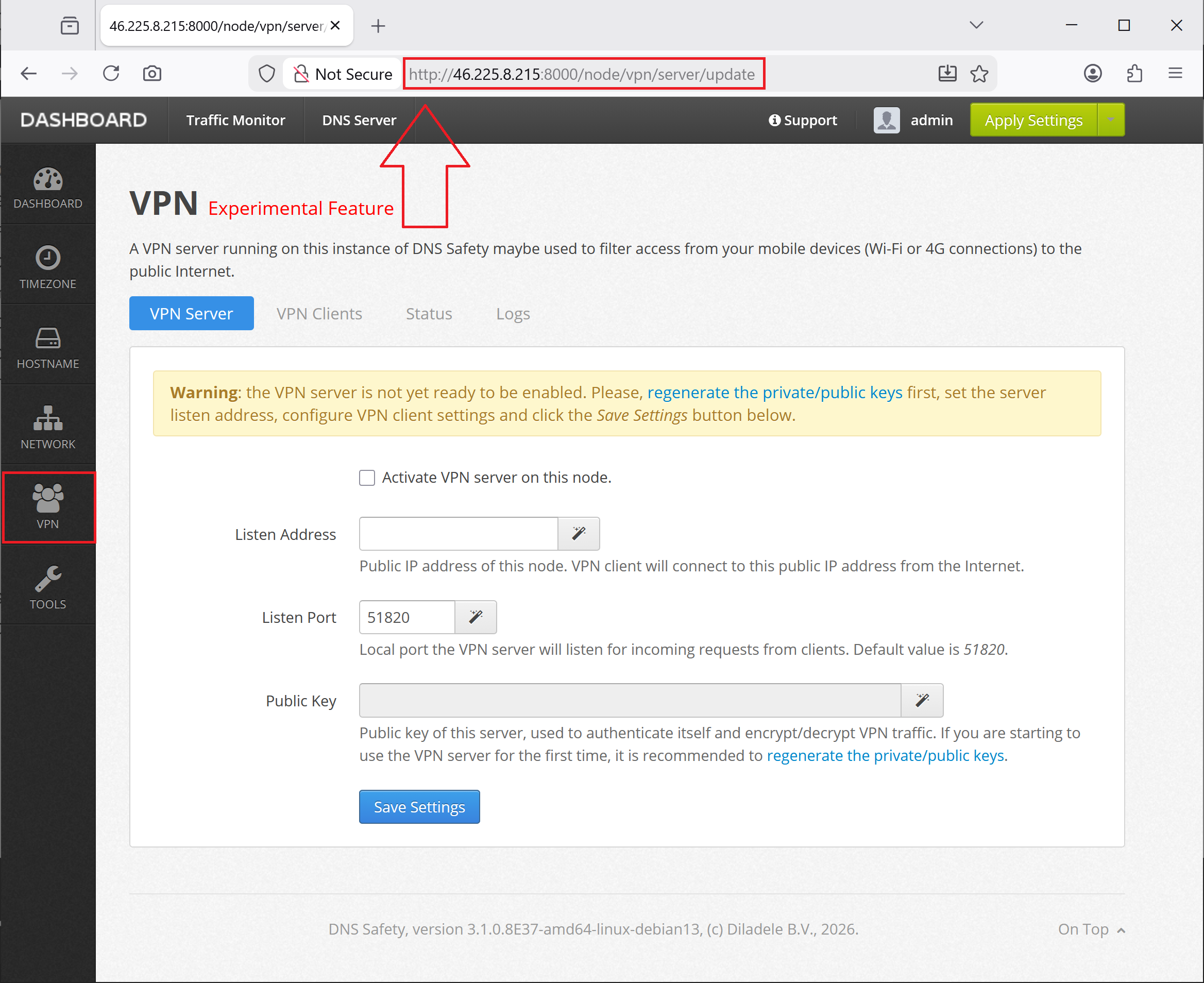
Login into Admin UI of DNS Safety and select the VPN node on the left. Note the port must be 8000 and protocol simple HTTP.
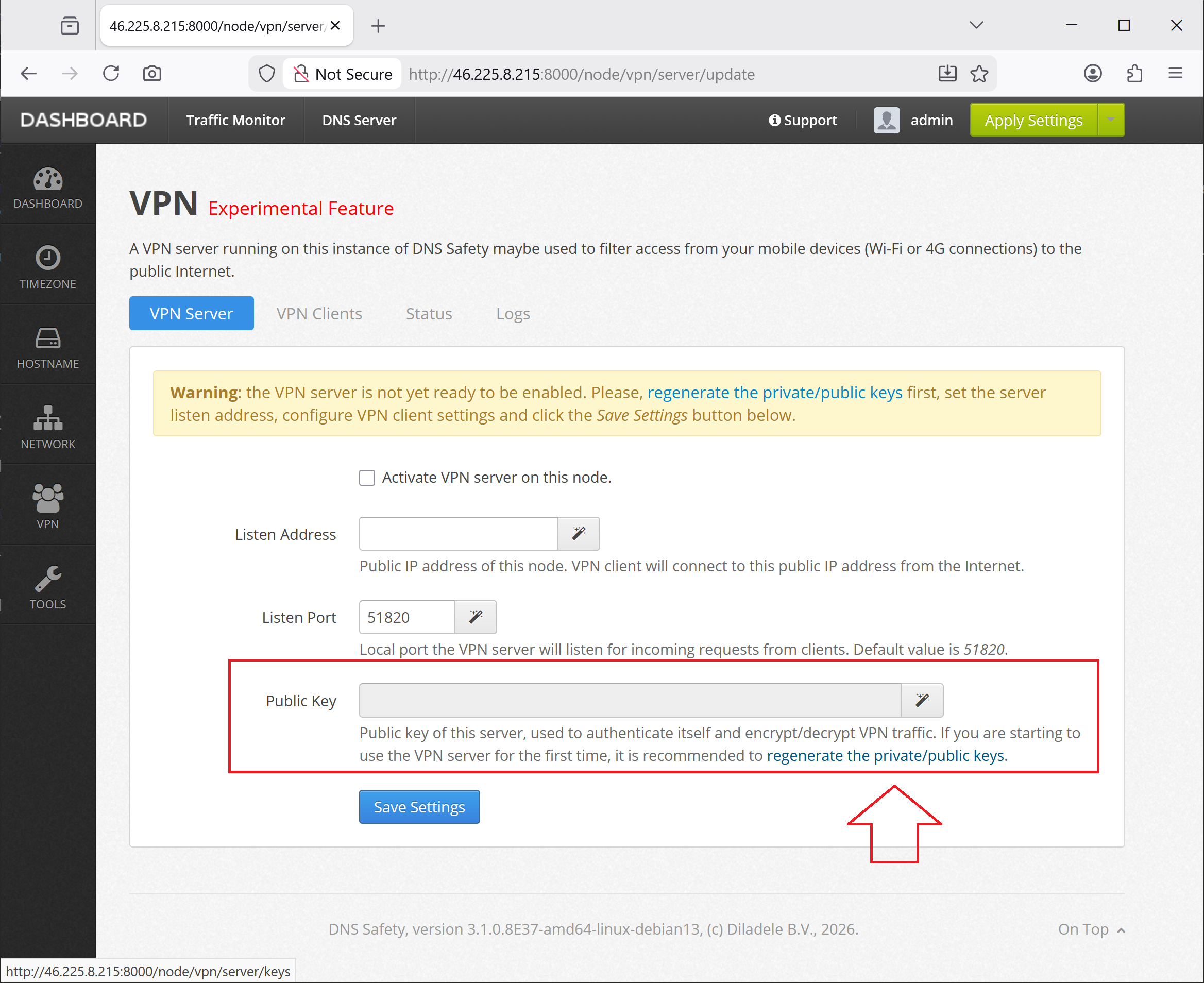
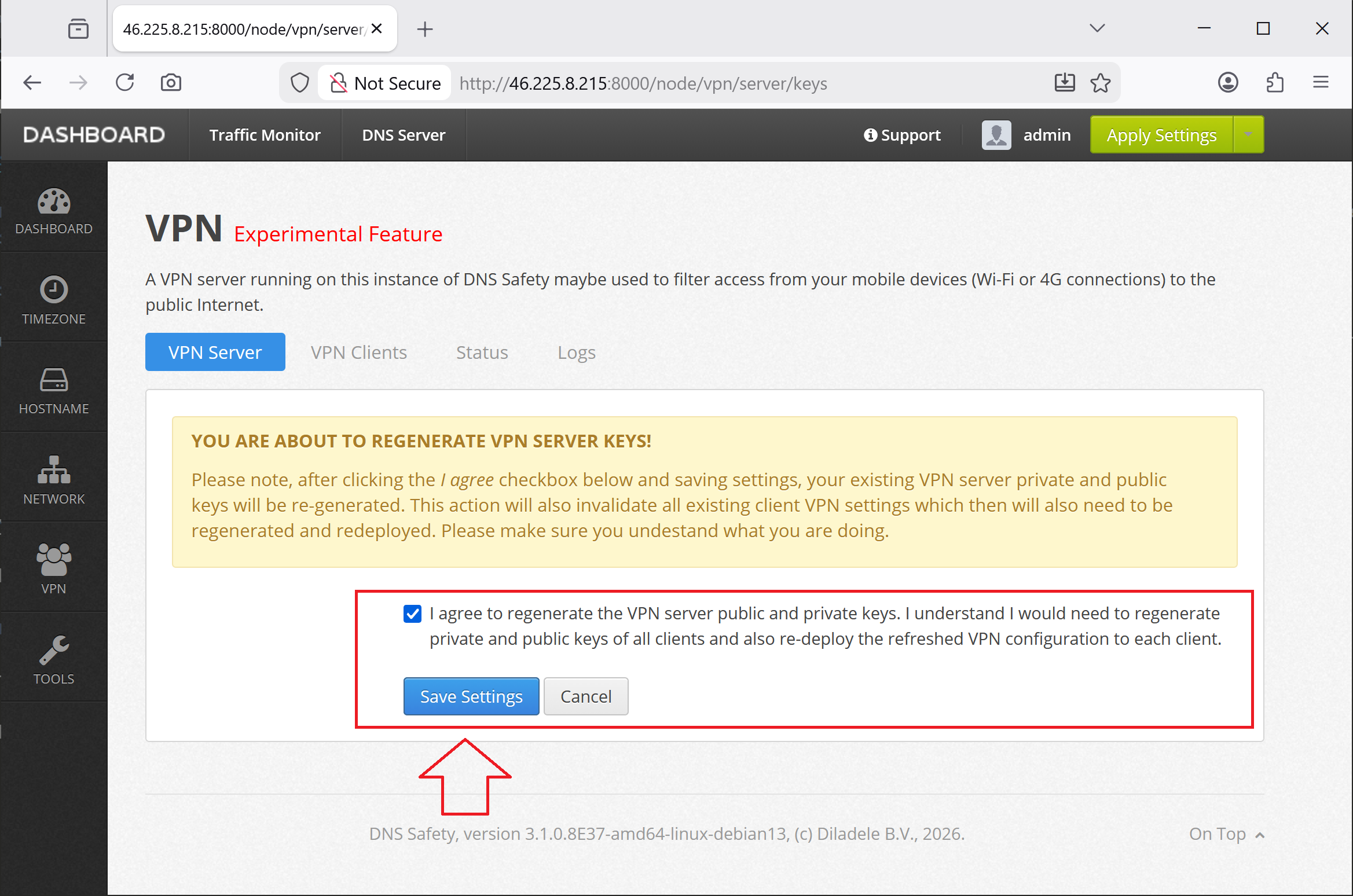
First we would need to regenerated the private/public key pairs to encrypt/decrypt VPN traffic for our server. Click the Regenerate Keys and I Agree as shown on the following screenshots.
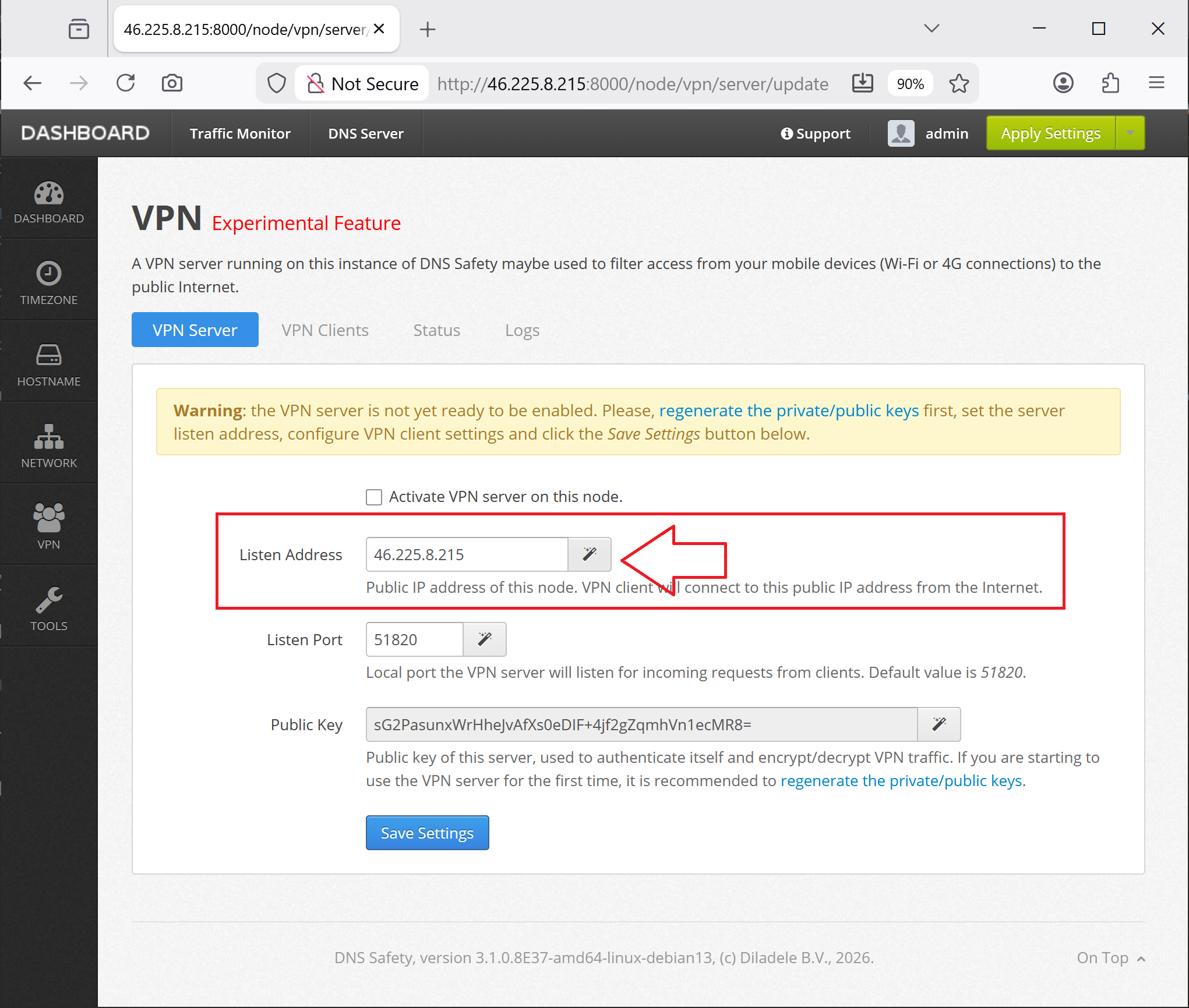
Next, click the magic button on the right to detect the public listening IP address of the virtual server. Our mobile client devices will connect to that IP address from the cellular networks.
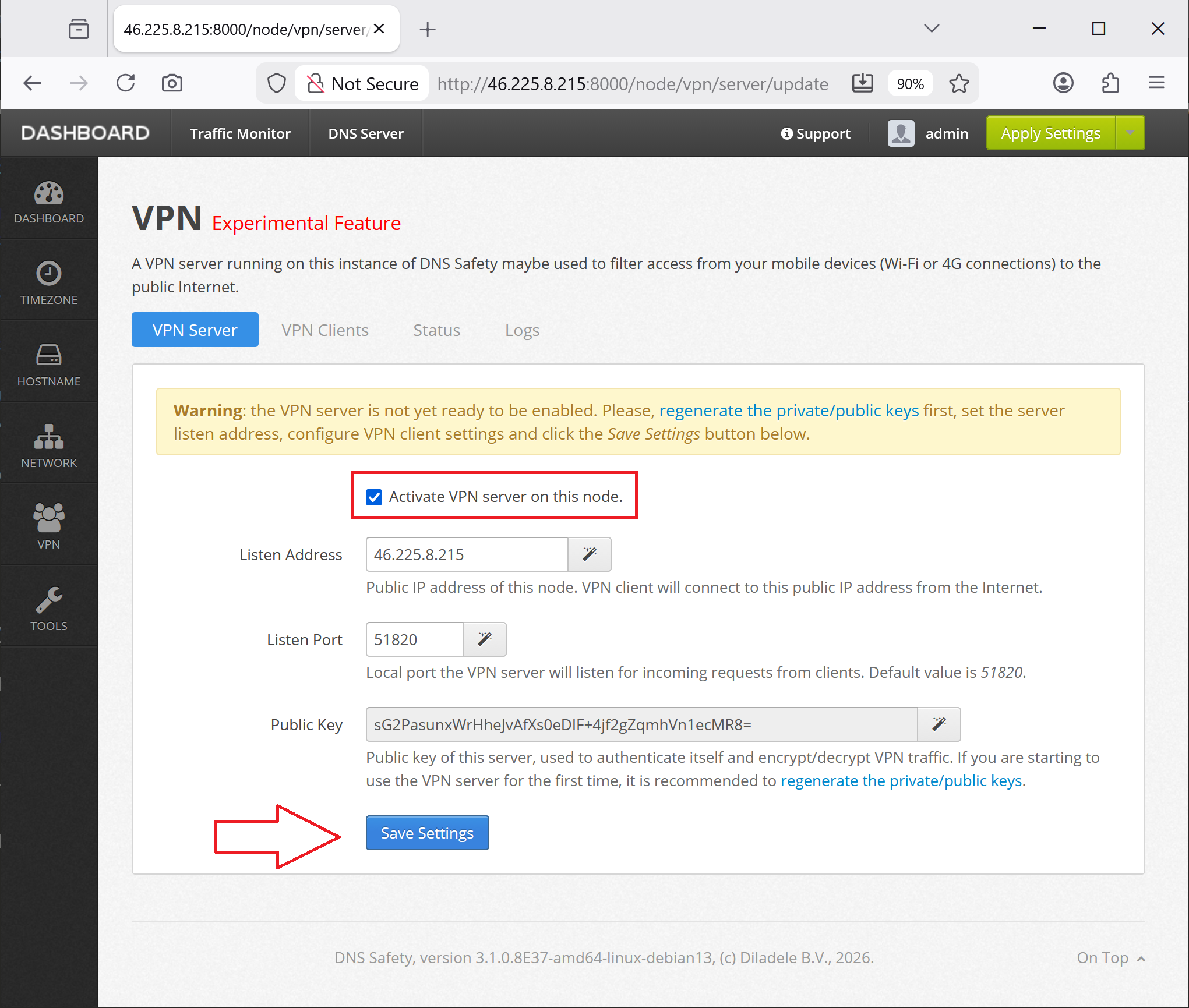
Finally, enable the VPN server and Save and Restart the services to apply our new VPN configuration.
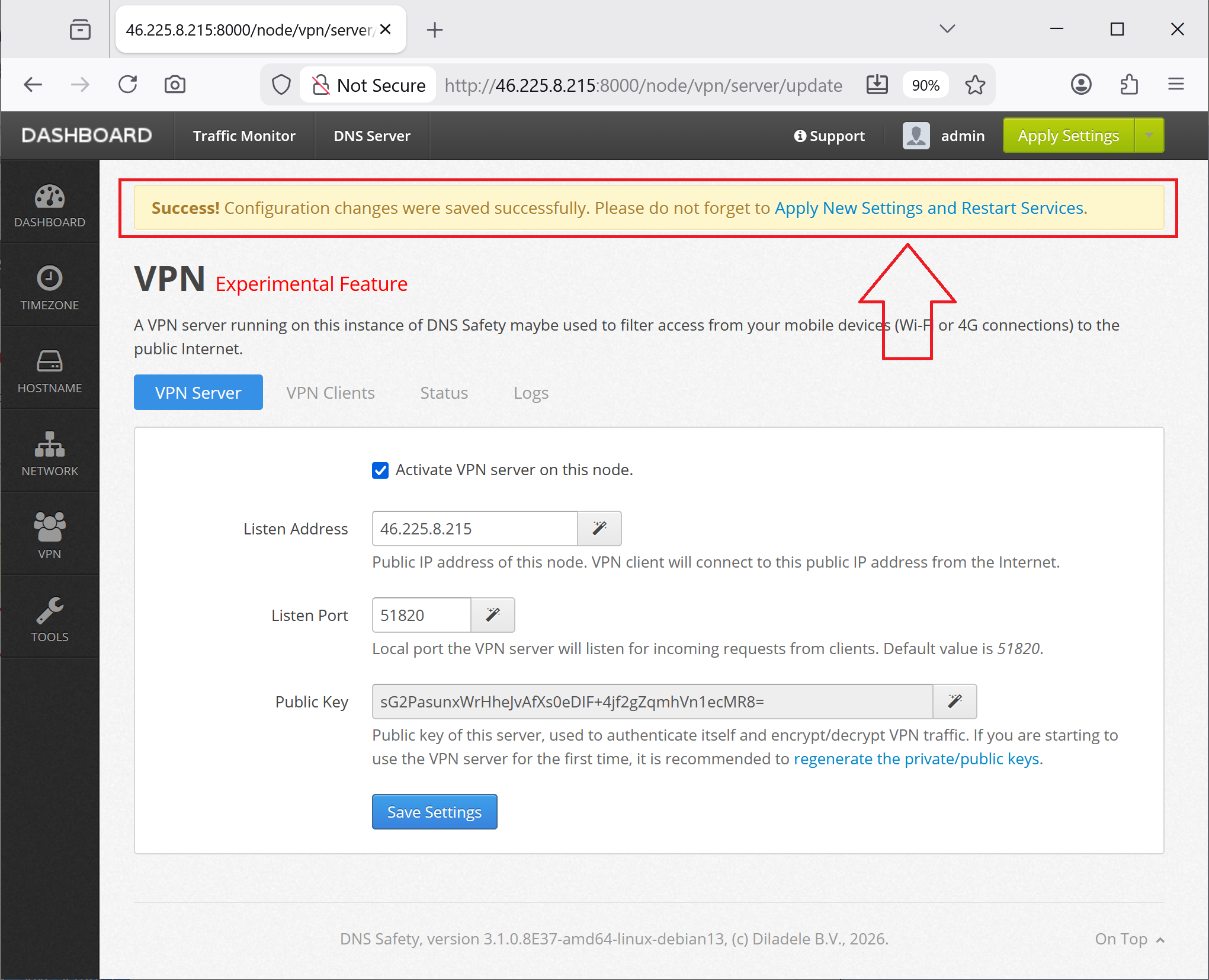
The server will be restarted as shown on the following screenshots.
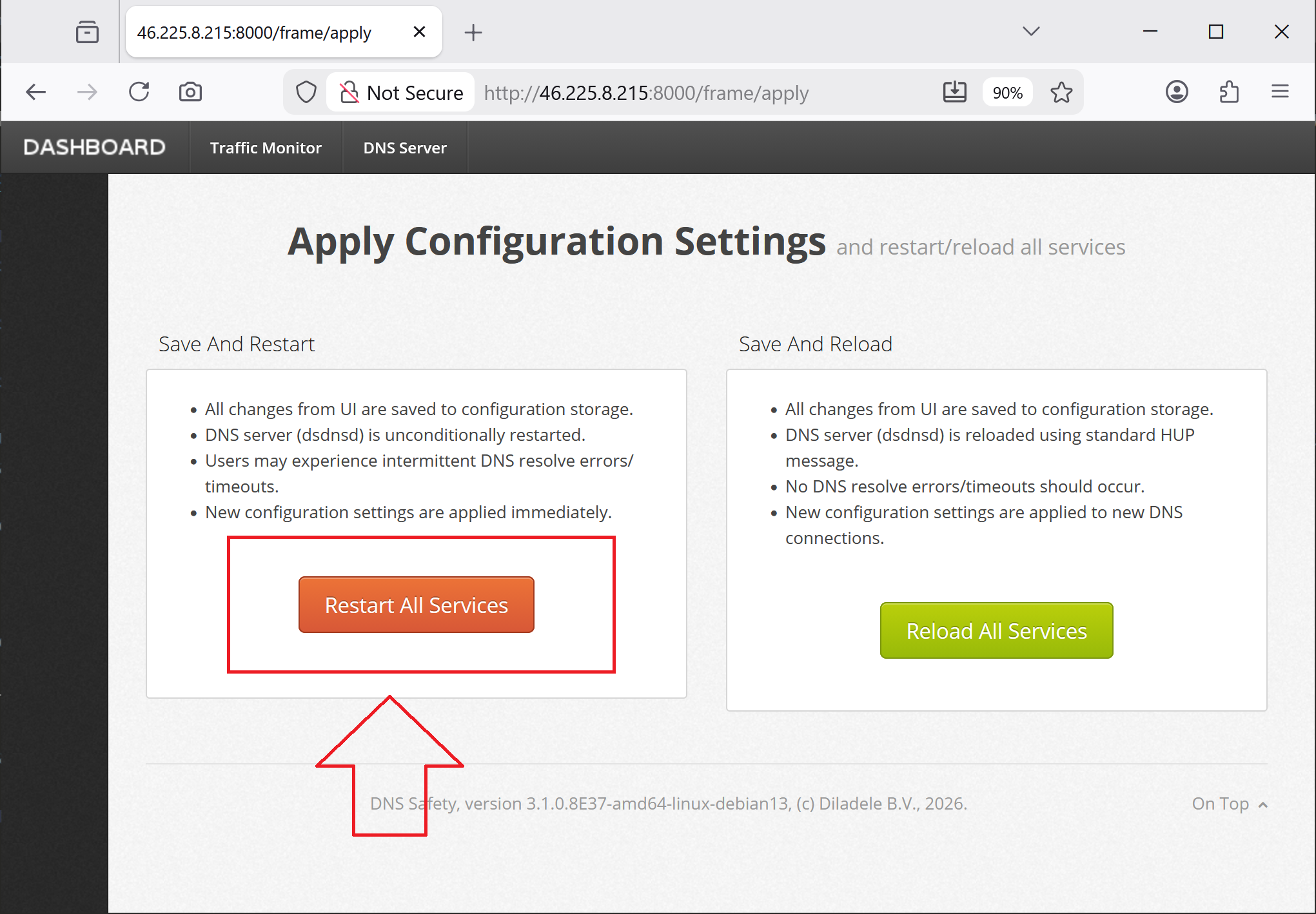
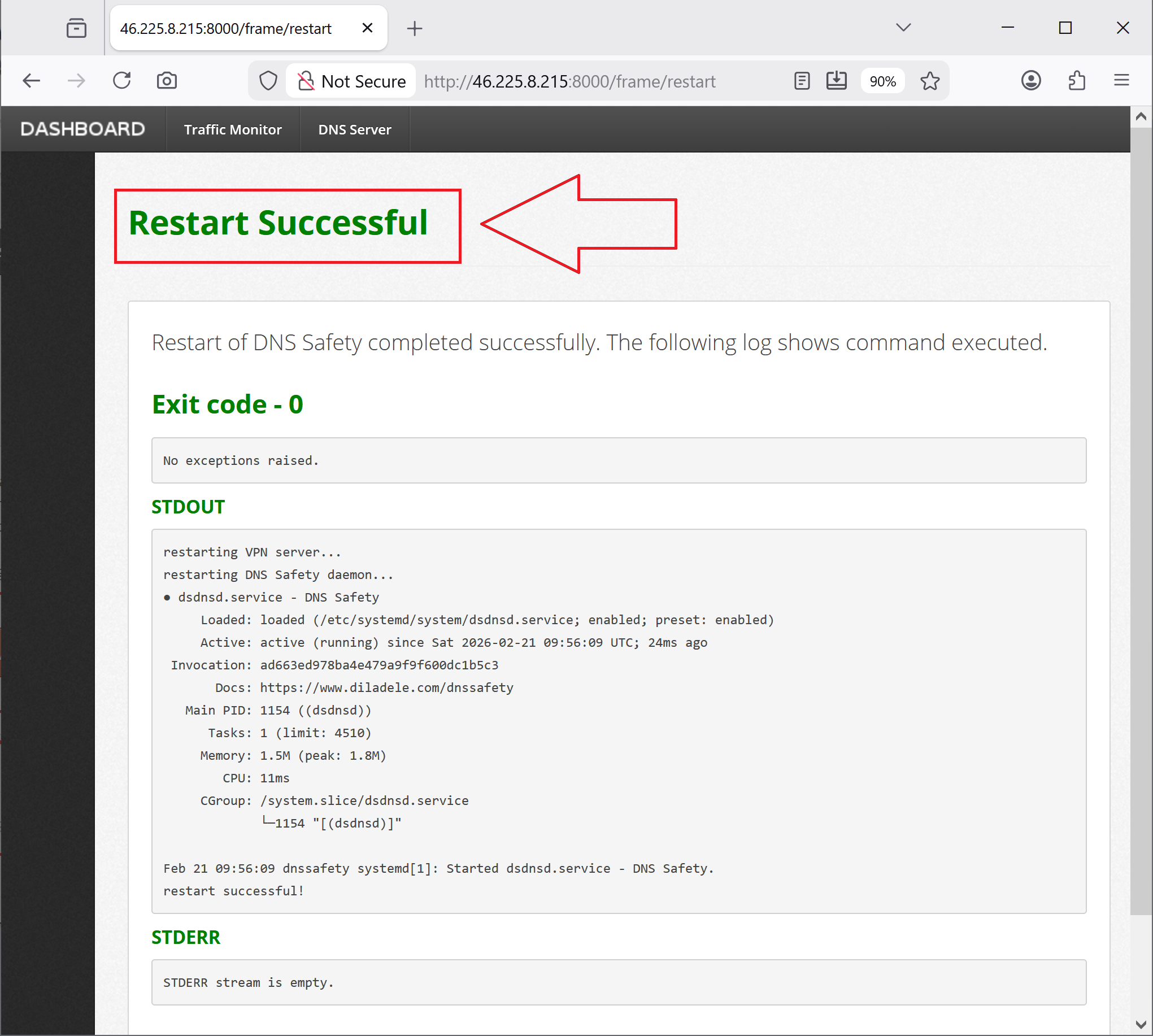
We are now ready to configure client VPN profiles.