CSS Adaptation
Custom CSS adaptation module is able to insert custom CSS style sheets into selected domains. Database of the custom CSS styles is located at the C:\ProgramData\Diladele\WebProxy\N.N\var\spool\adapt folder and CSS styles are applied per policy.
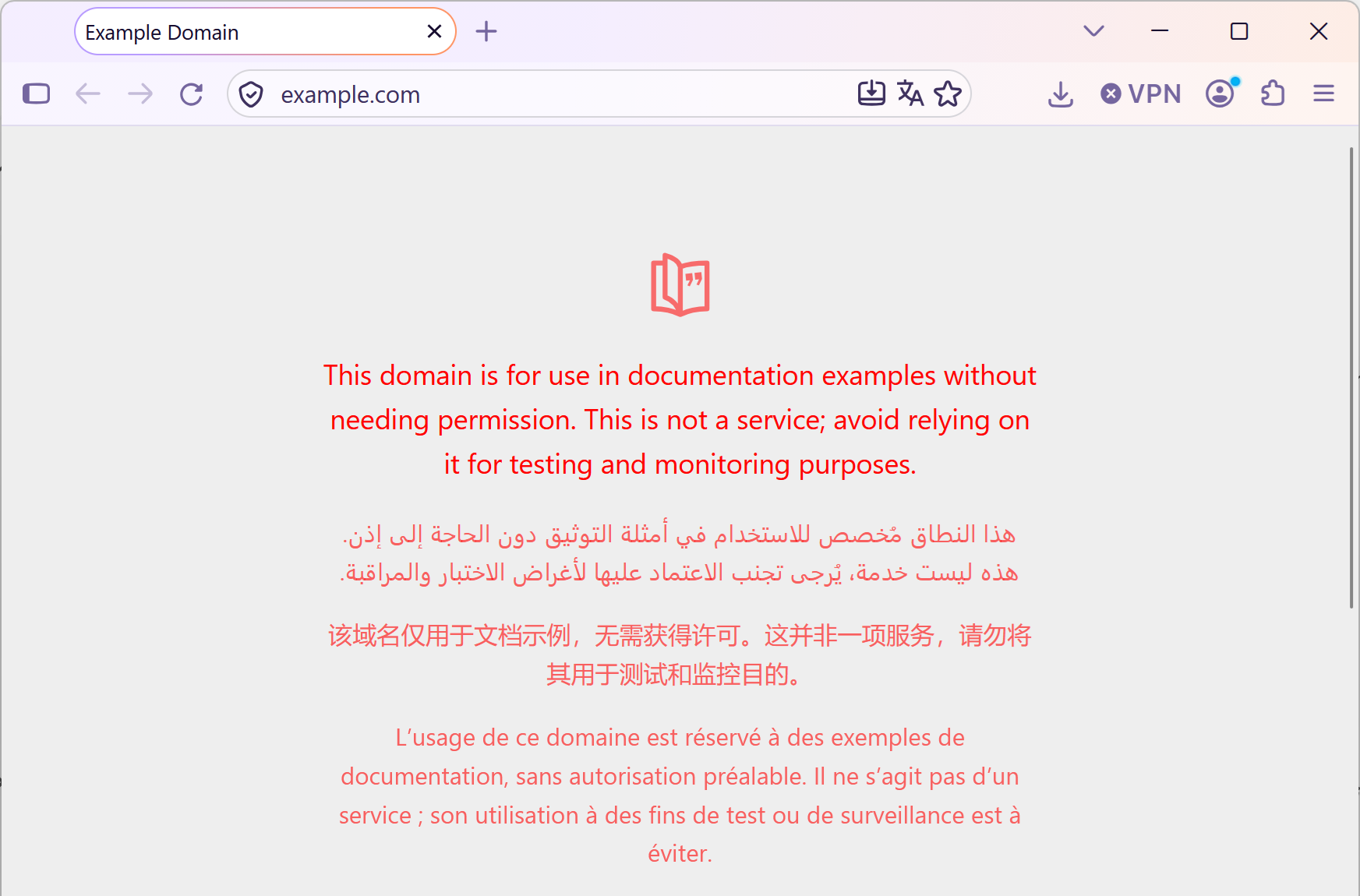
Sample format of a CSS adaptation rule for example.com web site is part of the default installation at example.com.css and is shown below. It just changes the font color on the site to red.
// ==UserCSS==
// @name           all pages on example.com and all its subdomains should become red
// @match          https://.example.com/
// ==/UserCSS==

body, body * {
    color: red !important;
}
The match directive indicates the domain where the CSS is applied to. Only domain name part of the URL is used when matching. CSS style is applied just before the </head> HTML tag.
Enable CSS Adaptation
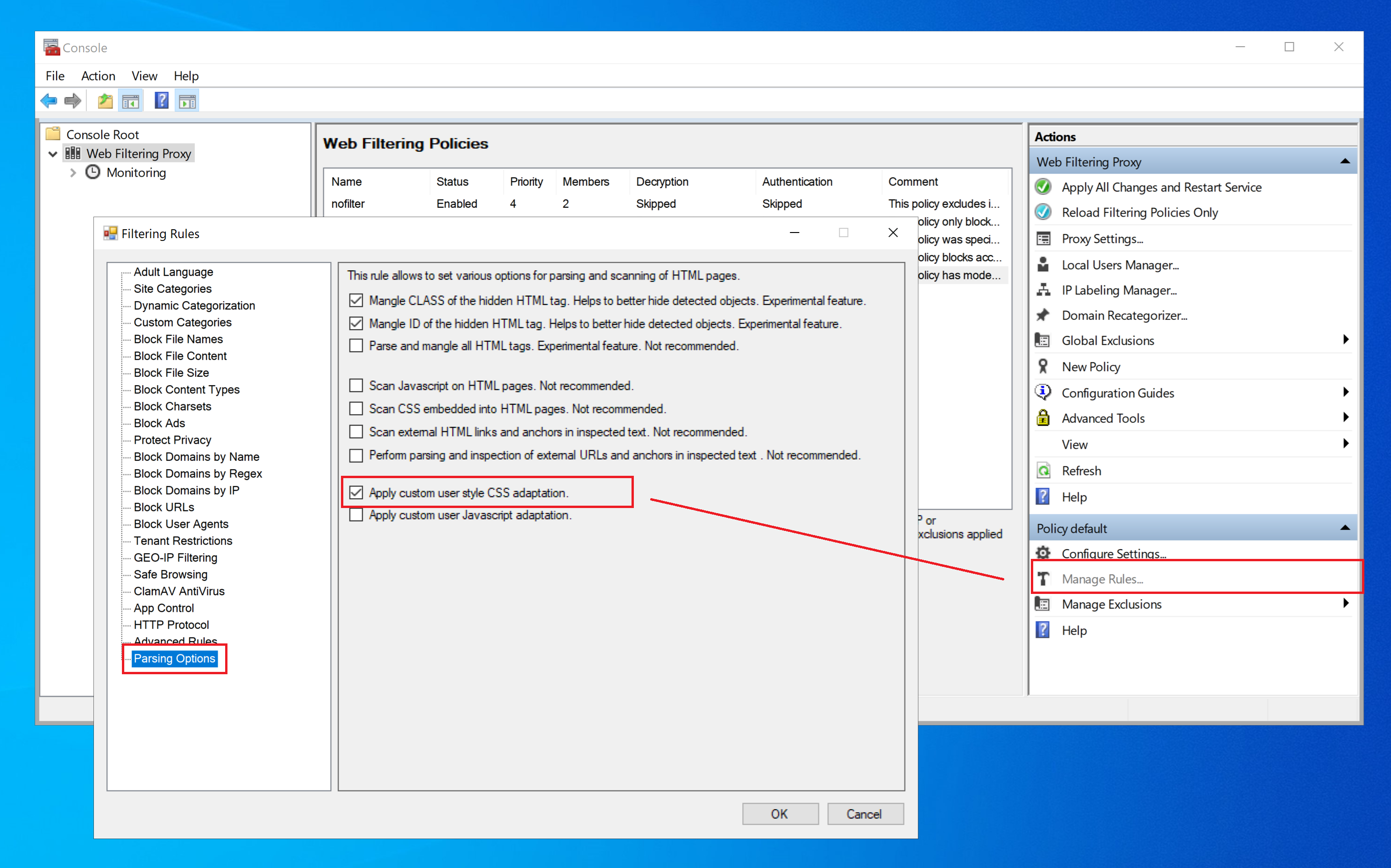
To enable CSS adaptation per rule, open the Admin UI / Filtering Policy / Rules and select the Parsing Options node as shown on the following screenshot. Set or unset the Apply custom user style CSS adaptation checkbox.
Important
Custom CSS adaptation is an experimental module and you should excertise extreme care what files you use as custom CSS styles. Be sure to understand what you are doing.